Hello Readers! “The Monday Elephant” is a weekly PostgreSQL blog post series that brings you tips, tricks and tools to help you be more productive with PostgreSQL database administration.
PostgreSQL uses MVCC architecture for concurrency control. Basically, an update or delete of a row caused by a transaction is stored as a new version of the row, visible only to transactions that start after this transaction commits successfully. Conversely, transactions started before the current one continue to see the version of the row as it existed before the current transaction.
Bloat is an unavoidable consequence of the MVCC architecture. Obsolete row versions must be deleted or reclaimed for reuse to prevent unbounded growth of a table’s on-disk data. A row version is obsolete if it is not visible to any currently running or future transaction. Such “dead” data is referred to as bloat.
Bloat is typically removed or reclaimed by a background process called autovacuum. By default autovacuum starts cleaning up the table once about 20% of the table’s rows have been modified or deleted. It is still important to keep track of how much bloat is present and is being generated by application activity on the database on an ongoing basis. This helps you tune the autovacuum parameters, or manually run VACUUM, CLUSTER or REINDEX commands to fix the bloat.
Both tables and indexes are affected by bloat. Tables need either a VACUUM command (this reclaims obsolete row version space for reuse) or a VACUUM FULL / CLUSTER command. The last two basically write out the entire non-obsolete row versions into a new set of files, so this is a resource-intensive operation during which the table is unavailable for use by applications (is fully locked). Index bloat is usually fixed by REINDEX-ing it.
It is possible to measure the bloat in tables and indexes accurately, as well as to just quickly get an estimate of it from statistics about tables and indexes that are continuously updated and made available through the system catalog.
Here is a table with some bloat in it, which we can experiment on:
demo=# \d bloat_demo
                                       Table "public.bloat_demo"
   Column   |           Type           | Collation | Nullable |                Default
------------+--------------------------+-----------+----------+----------------------------------------
 id         | bigint                   |           | not null | nextval('bloat_demo_id_seq'::regclass)
 payload    | text                     |           |          |
 counter    | integer                  |           |          | 0
 updated_at | timestamp with time zone |           |          | now()
Indexes:
    "bloat_demo_pkey" PRIMARY KEY, btree (id)
The extension pgstattuple is included in the standard distribution of PostgreSQL. This extension scans every page of a given table or index and returns statistics about the tuples (rows) in it. To start using pgstattuple first install the extension in the database containing the table:
CREATE EXTENSION IF NOT EXISTS pgstattuple;
The bloat for our demo table can be obtained with the SQL query:
SELECT
    pg_size_pretty(table_len) AS total_bytes,
    pg_size_pretty(dead_tuple_len + free_space) AS bloat_bytes,
    round(
        (dead_tuple_len + free_space * 100) / table_len,
        1
    ) AS bloat_pct
FROM
    pgstattuple ('bloat_demo');
The function pgstattuple returns information about the specified table, including the space occupied by dead tuples (obsolete row versions) and free space. Note that the “free” space is the unused bytes within the on-disk files for the table that still takes up disk space. Here is the output of this query for our table:
 total_bytes | bloat_bytes | bloat_pct
-------------+-------------+-----------
 446 MB      | 423 MB      |      92.0
(1 row)
This says that out of the 446 MB occupied by the on-disk files for the table
bloat_demo, 423 MB (which is 92% of the table) is bloat.
The bloat for indexes can also be calculated for indexes using pgstattuple:
SELECT
    pg_size_pretty(index_size) AS total_bytes,
    pg_size_pretty(
        round(index_size * (1 - (avg_leaf_density / 100.0)))::numeric
    ) AS bloat_bytes,
    round(100 - avg_leaf_density::numeric, 1) AS bloat_pct
FROM
    pgstatindex ('bloat_demo_pkey');
The pgstatindex function returns page-level statistics for B-Tree indexes. There also other functions for other index types – pgstatginindex for GIN indexes and pgstathashindex for hash indexes. Here is the output of the above query:
 total_bytes | bloat_bytes | bloat_pct
-------------+-------------+-----------
 25 MB       | 5117 kB     |      20.1
(1 row)
The output indicates that the bloat_demo_pkey index occupies 25 MB of disk space, out of which 5117 kB (or 20.1%) is bloat.
These functions accurately report the bloat for tables and indexes. However, a complete page-level scanning of a big and busy table will usually grind the server into unresponsiveness. It also ruins the OS-level and Postgres caches and degrades the future performance of the server even after the scan completes. The tables for which bloat is a problem (the big and busy ones) are precisely the ones on which you probably should not run pgstattuple – this limits the use of this method to calculate bloat. (Side note: pgstattuple does provide a pgstattuple_approx method, but this can still end up reading a lot of pages - read more in the docs here.)
The other way is to estimate the bloat based on statistics contained in the catalog tables.
check-postgres
check-postgres is an open-source tool by Greg Sabino Mullane. It has been around for a long time, is written in Perl, and mainly intended for Nagios. It contains a SQL query, listed below, that can be used to estimate the bloat for a table and it’s indexes.
Depending on your Linux distribution, check-postgres can be installed with a apt-get install check-postgres or dnf install check-postgres. If that is not possible, you can follow the instructions on the homepage. Once installed, you can check the bloat with:
$ PGHOST=/tmp PGPORT=9432 PGDATABASE=demo check_postgres_bloat --include=bloat_demo
which gives the output:
POSTGRES_BLOAT OK: DB "demo" (host:/tmp) (port=9432) (db demo) table public.bloat_demo rows:60281 pages:57142 shouldbe:2095 (27.3X) wasted size:450945024 (430 MB) | public.bloat_demo=450945024B bloat_demo_pkey=9887744B
The output is a little cryptic, but it basically gives an estimate of 450,945,024 bytes (430 MB) of bloat for the table and 9,887,744 bytes (9656 KB) of bloat for the index, against the values of 423 MB and 5117 KB given by pgstattuple. The numbers are reasonably within the ballpark, and given that these numbers were obtained without reading pages from the disk or touching the shared buffers of the table and the index, it is definitely preferable over pgstattuple.
The SQL query that check-postgres uses can be got from it’s source and is reproduced below. Note that check-postgres is made available under a 2-clause BSD license, and the SQL query listed here is Copyright 2007 - 2025 Greg Sabino Mullane.
SELECT
  current_database() AS db, schemaname, tablename, reltuples::bigint AS tups, relpages::bigint AS pages, otta,
  ROUND(CASE WHEN otta=0 OR sml.relpages=0 OR sml.relpages=otta THEN 0.0 ELSE sml.relpages/otta::numeric END,1) AS tbloat,
  CASE WHEN relpages < otta THEN 0 ELSE relpages::bigint - otta END AS wastedpages,
  CASE WHEN relpages < otta THEN 0 ELSE bs*(sml.relpages-otta)::bigint END AS wastedbytes,
  CASE WHEN relpages < otta THEN '0 bytes'::text ELSE (bs*(relpages-otta))::bigint::text || ' bytes' END AS wastedsize,
  iname, ituples::bigint AS itups, ipages::bigint AS ipages, iotta,
  ROUND(CASE WHEN iotta=0 OR ipages=0 OR ipages=iotta THEN 0.0 ELSE ipages/iotta::numeric END,1) AS ibloat,
  CASE WHEN ipages < iotta THEN 0 ELSE ipages::bigint - iotta END AS wastedipages,
  CASE WHEN ipages < iotta THEN 0 ELSE bs*(ipages-iotta) END AS wastedibytes,
  CASE WHEN ipages < iotta THEN '0 bytes' ELSE (bs*(ipages-iotta))::bigint::text || ' bytes' END AS wastedisize,
  CASE WHEN relpages < otta THEN
    CASE WHEN ipages < iotta THEN 0 ELSE bs*(ipages-iotta::bigint) END
    ELSE CASE WHEN ipages < iotta THEN bs*(relpages-otta::bigint)
      ELSE bs*(relpages-otta::bigint + ipages-iotta::bigint) END
  END AS totalwastedbytes
FROM (
  SELECT
    nn.nspname AS schemaname,
    cc.relname AS tablename,
    COALESCE(cc.reltuples,0) AS reltuples,
    COALESCE(cc.relpages,0) AS relpages,
    COALESCE(bs,0) AS bs,
    COALESCE(CEIL((cc.reltuples*((datahdr+ma-
      (CASE WHEN datahdr%ma=0 THEN ma ELSE datahdr%ma END))+nullhdr2+4))/(bs-20::float)),0) AS otta,
    COALESCE(c2.relname,'?') AS iname, COALESCE(c2.reltuples,0) AS ituples, COALESCE(c2.relpages,0) AS ipages,
    COALESCE(CEIL((c2.reltuples*(datahdr-12))/(bs-20::float)),0) AS iotta -- very rough approximation, assumes all cols
  FROM
     pg_class cc
  JOIN pg_namespace nn ON cc.relnamespace = nn.oid AND nn.nspname <> 'information_schema'
  LEFT JOIN
  (
    SELECT
      ma,bs,foo.nspname,foo.relname,
      (datawidth+(hdr+ma-(case when hdr%ma=0 THEN ma ELSE hdr%ma END)))::numeric AS datahdr,
      (maxfracsum*(nullhdr+ma-(case when nullhdr%ma=0 THEN ma ELSE nullhdr%ma END))) AS nullhdr2
    FROM (
      SELECT
        ns.nspname, tbl.relname, hdr, ma, bs,
        SUM((1-coalesce(null_frac,0))*coalesce(avg_width, 2048)) AS datawidth,
        MAX(coalesce(null_frac,0)) AS maxfracsum,
        hdr+(
          SELECT 1+count(*)/8
          FROM pg_stats s2
          WHERE null_frac<>0 AND s2.schemaname = ns.nspname AND s2.tablename = tbl.relname
        ) AS nullhdr
      FROM pg_attribute att
      JOIN pg_class tbl ON att.attrelid = tbl.oid
      JOIN pg_namespace ns ON ns.oid = tbl.relnamespace
      LEFT JOIN pg_stats s ON s.schemaname=ns.nspname
      AND s.tablename = tbl.relname
      AND s.inherited=false
      AND s.attname=att.attname,
      (
        SELECT
          (SELECT current_setting('block_size')::numeric) AS bs,
            CASE WHEN SUBSTRING(SPLIT_PART(v, ' ', 2) FROM '#"[0-9]+.[0-9]+#"%' for '#')
              IN ('8.0','8.1','8.2') THEN 27 ELSE 23 END AS hdr,
          CASE WHEN v ~ 'mingw32' OR v ~ '64-bit' THEN 8 ELSE 4 END AS ma
        FROM (SELECT version() AS v) AS foo
      ) AS constants
      WHERE att.attnum > 0 AND tbl.relkind='r'
      GROUP BY 1,2,3,4,5
    ) AS foo
  ) AS rs
  ON cc.relname = rs.relname AND nn.nspname = rs.nspname
  LEFT JOIN pg_index i ON indrelid = cc.oid
  LEFT JOIN pg_class c2 ON c2.oid = i.indexrelid
) AS sml
ORDER BY totalwastedbytes DESC
You can run the query directly like so (assuming the query is at /tmp/bloat.sql):
$ psql -h /tmp -p 9432 -x -f /tmp/bloat.sql demo
which gives this output (only the first 2 rows of the output are listed here):
-[ RECORD 1 ]----+-----------------------------------------------
db               | demo
schemaname       | public
tablename        | bloat_demo
tups             | 60281
pages            | 57142
otta             | 2095
tbloat           | 27.3
wastedpages      | 55047
wastedbytes      | 450945024
wastedsize       | 450945024 bytes
iname            | bloat_demo_pkey
itups            | 60281
ipages           | 3184
iotta            | 1977
ibloat           | 1.6
wastedipages     | 1207
wastedibytes     | 9887744
wastedisize      | 9887744 bytes
totalwastedbytes | 460832768
-[ RECORD 2 ]----+-----------------------------------------------
db               | demo
schemaname       | pg_catalog
tablename        | pg_ts_config_map
tups             | 570
pages            | 4
otta             | 4
tbloat           | 0.0
wastedpages      | 0
wastedbytes      | 0
wastedsize       | 0 bytes
iname            | pg_ts_config_map_index
itups            | 570
ipages           | 5
iotta            | 2
ibloat           | 2.5
wastedipages     | 3
wastedibytes     | 24576
wastedisize      | 24576 bytes
totalwastedbytes | 24576

[..snip..]
The columns wastedbytes and wastedibytes give the bloat in bytes associated with the bloat_demo table and the bloat_demo_pkey index respectively.
pgmetrics
If you are looking to script this, or occasionally run this manually, consider using pgmetrics. pgmetrics is an open-source tool to collect metrics from your PostgreSQL server and display the output in human-readable text or machine-processable JSON output. Among other things, it calculates bloat using the same query as above.
pgmetrics can be downloaded from here and run directly (it is a standalone single-binary zero-dependency tool):
$ pgmetrics -w -h /tmp -p 9432 demo
It gives the following output related to the bloat_demo table:
[..snip..]

Table #1 in "demo":
    Name:                demo.public.bloat_demo
    Columns:             4
    Manual Vacuums:      never
    Manual Analyze:      1, last 1 day ago
    Auto Vacuums:        never
    Auto Analyze:        never
    Post-Analyze:        0.0% est. rows modified
    Row Estimate:        3.8% live of total 1600010
    Rows Changed:        ins 20.6%, upd 0.0%, del 17.5%
    HOT Updates:         0.0% of all updates
    Seq Scans:           31, 96778.9 rows/scan
    Idx Scans:           340000, 1.0 rows/scan
    Cache Hits:          84.3% (idx=99.2%)
    Size:                447 MiB
    Bloat:               430 MiB (96.3%)
    +-----------------+-------+--------+-----------------+------------+--------+----------------+-------------------+
    |           Index |  Type |   Size |           Bloat | Cache Hits |  Scans | Rows Read/Scan | Rows Fetched/Scan |
    +-----------------+-------+--------+-----------------+------------+--------+----------------+-------------------+
    | bloat_demo_pkey | btree | 25 MiB | 9.4 MiB (37.9%) |      99.2% | 340000 |            3.5 |               1.0 |
    +-----------------+-------+--------+-----------------+------------+--------+----------------+-------------------+
Among other details, it includes the table bloat (430 MB) and the index bloat (9.4 MB). The result can also be generated as a JSON that can be fed to other scripts for further processing:
$ pgmetrics -wfjson -h /tmp -p 9432 demo
The JSON output contains:
{
[..snip..]

  "tables": [
    {
      "oid": 24696,
      "db_name": "demo",
      "schema_name": "public",
      "name": "bloat_demo",
      "seq_scan": 31,
      "seq_tup_read": 3000147,
      "idx_scan": 340000,
      "idx_tup_fetch": 340000,
      "n_tup_ins": 400000,
      "n_tup_upd": 1200000,
      "n_tup_del": 340000,
      "n_tup_hot_upd": 46,
      "n_live_tup": 60281,
      "n_dead_tup": 1539729,
      "n_mod_since_analyze": 0,
      "last_vacuum": 0,
      "last_autovacuum": 0,
      "last_analyze": 1775816535,
      "last_autoanalyze": 0,
      "vacuum_count": 0,
      "autovacuum_count": 0,
      "analyze_count": 1,
      "autoanalyze_count": 0,
      "heap_blks_read": 1595113,
      "heap_blks_hit": 8562205,
      "idx_blks_read": 39535,
      "idx_blks_hit": 5130475,
      "toast_blks_read": 0,
      "toast_blks_hit": 0,
      "tidx_blks_read": 0,
      "tidx_blks_hit": 0,
      "size": 468254720,
      "bloat": 450945024,
      "relkind": "r",
      "relpersistence": "p",
      "relnatts": 4,
      "age_relfrozenxid": 9,
      "relispartition": false,
      "tablespace_name": "",
      "parent_name": "",
      "partition_cv": "",
      "n_ins_since_vacuum": 400000,
      "last_seq_scan": 1775816012,
      "last_idx_scan": 1775815365,
      "n_tup_newpage_upd": 1199954,
      "total_analyze_time": 374
    }
  ],
  "indexes": [
    {
      "oid": 24705,
      "db_name": "demo",
      "schema_name": "public",
      "table_oid": 24696,
      "table_name": "bloat_demo",
      "name": "bloat_demo_pkey",
      "idx_scan": 340000,
      "idx_tup_read": 1193313,
      "idx_tup_fetch": 340000,
      "idx_blks_read": 39535,
      "idx_blks_hit": 5130475,
      "size": 26083328,
      "bloat": 9887744,
      "relnatts": 1,
      "amname": "btree",
      "tablespace_name": "",
      "def": "CREATE UNIQUE INDEX bloat_demo_pkey ON public.bloat_demo USING btree (id)",
      "last_idx_scan": 1775815365
    }
  ],

[..snip..]
}
The properties .tables[0].bloat and .indexes[0].bloat provide the bloat values of 450945024 and 9887744 respectively.
You can read more about pgmetrics from it’s home page.
About pgDash
pgDash is a modern, in-depth monitoring solution designed specifically for PostgreSQL deployments. pgDash shows you information and metrics about every aspect of your PostgreSQL database server, collected using the open-source tool pgmetrics.
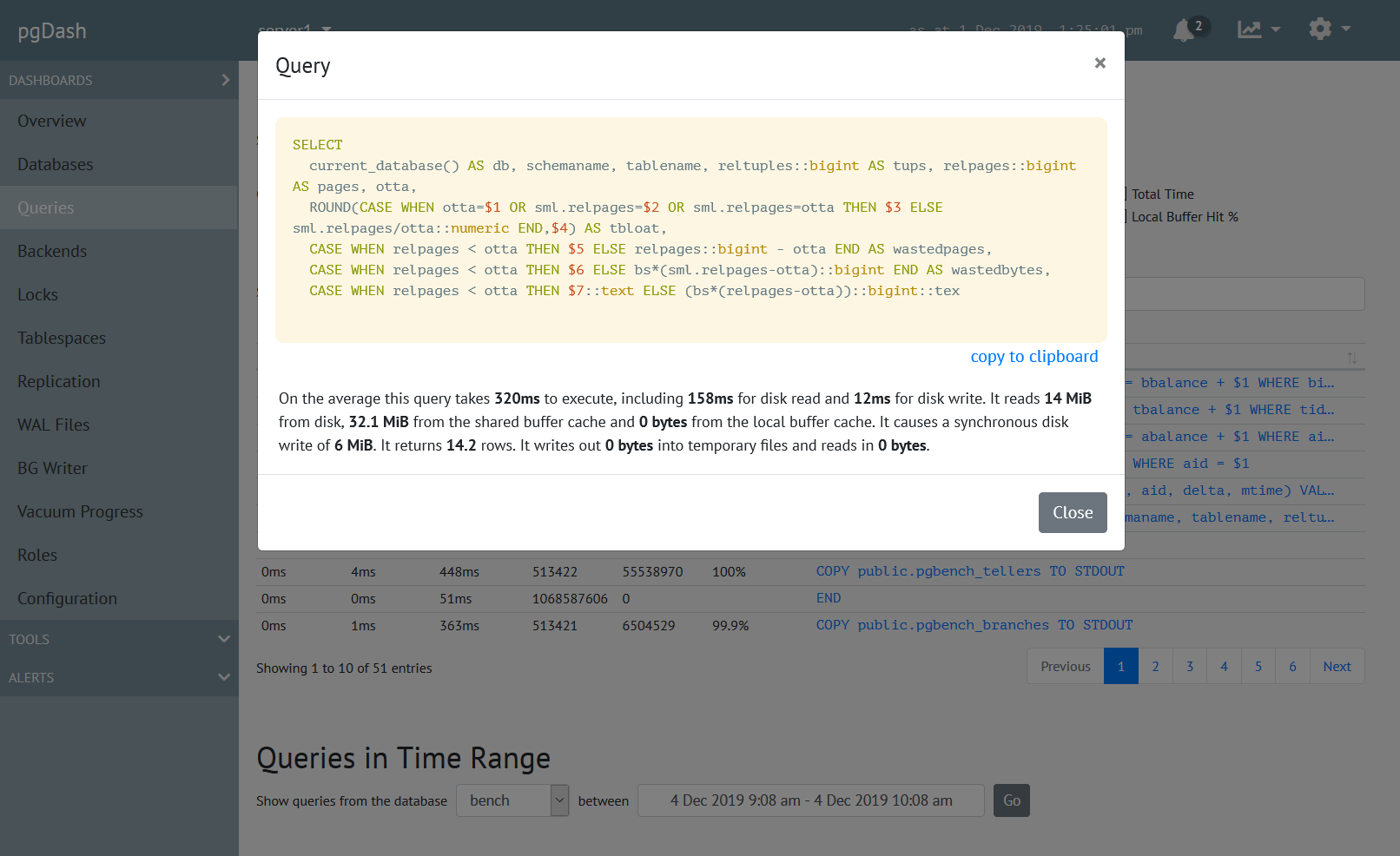
pgDash provides core reporting and visualization functionality, including collecting and displaying PostgreSQL information and providing time-series graphs, detailed reports, diagnostics, alerting, teams and more. Checkout the features here or signup today for a free trial.